From WinGet Export to DSCv3: Repeatable Package Configuration
From WinGet Export to DSCv3: Repeatable Package Configuration
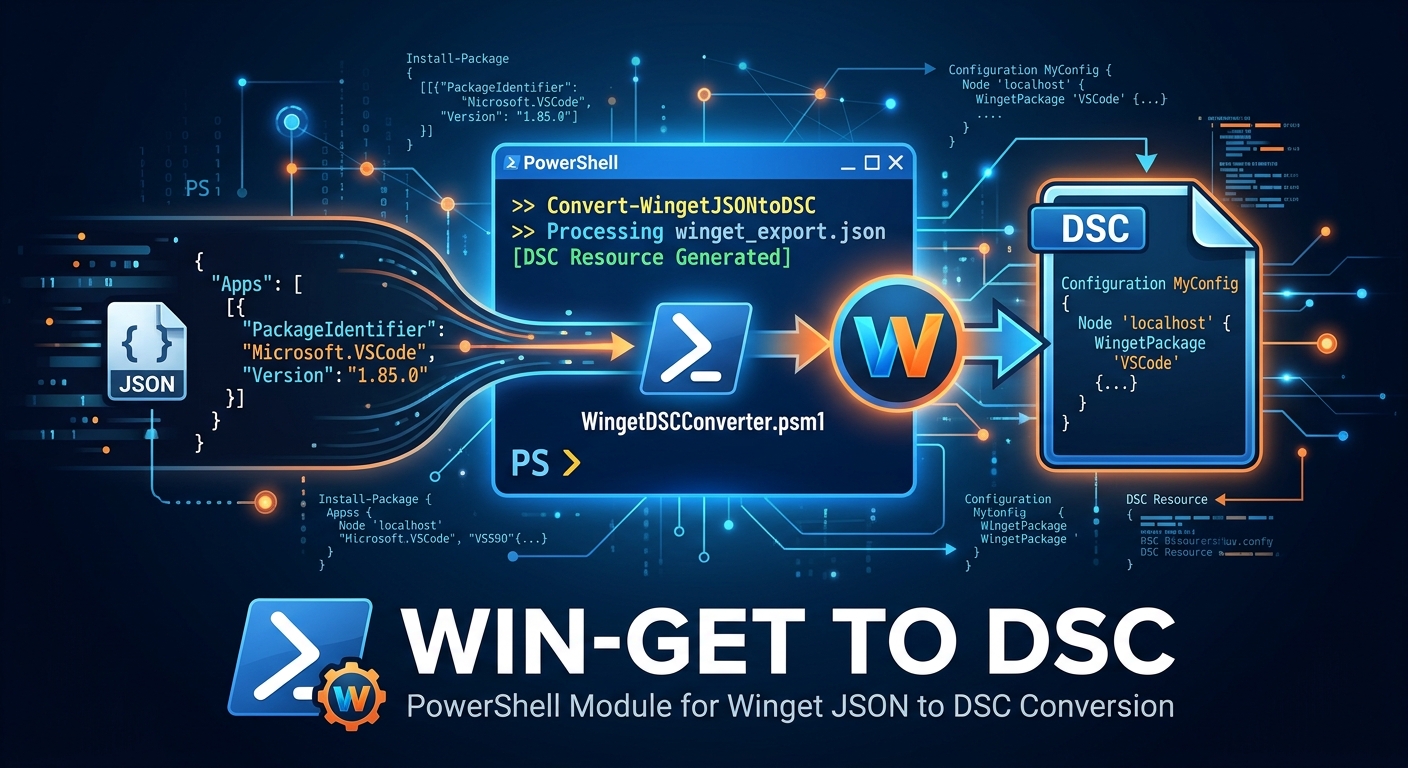
Keeping a standard set of applications on multiple Windows devices is easier when the package list is written down and can be tested before it is applied. WinGet can export installed package IDs and versions to JSON, and its import command can use that file to install packages on another device.
For a declarative workflow, the WinGetExportToDscv3 PowerShell module takes that WinGet export and converts it into a configuration containing one DSC resource per package. You can then use DSCv3 to test the desired state and apply it.
Export the installed package list
There are two useful export commands, but they serve different purposes.
WinGet package export
Use winget export to create the JSON file that WinGet can later import:
winget export --output .\packages.json
The file contains package identifiers, versions when available, and package source information. A shortened example from the module’s sample export looks like this:
{
  "$schema": "https://aka.ms/winget-packages.schema.2.0.json",
  "Sources": [
    {
      "Packages": [
        {
          "PackageIdentifier": "Microsoft.WindowsTerminal",
          "Version": "1.25.2733.0"
        }
      ],
      "SourceDetails": {
        "Name": "winget"
      }
    }
  ]
}
To install the packages from that export on another device, use WinGet import:
winget import --import-file .\packages.json `
  --accept-package-agreements `
  --accept-source-agreements
WinGet import is convenient for restoring or bootstrapping a package list. It is not a continuous compliance service: importing does not remove packages that are not in the file, and it does not periodically check or repair the device later.
Export resource instances through DSCv3
If the Microsoft.WinGet/Package DSC resource is installed and discoverable by DSC, you can also ask that resource to export its current package instances:
dsc resource export --resource Microsoft.WinGet/Package
This calls the DSC resource’s export operation and returns the package instances it discovers in the resource’s export format. It is useful when you want to inspect or capture state through DSC itself. This is a different export path from winget export: the WinGetExportToDsc converter described below expects the JSON document produced by winget export, not the output of dsc resource export.
Install the PowerShell conversion module
The converter is published as the WinGetExportToDsc PowerShell module. Install it for the current user from PowerShell Gallery:
Install-Module -Name WinGetExportToDsc -Scope CurrentUser
If PowerShell asks whether to install from an untrusted repository, confirm that you want to use PowerShell Gallery. Import the module and check that its conversion command is available:
Import-Module WinGetExportToDsc
Get-Command Convert-WinGetExportToDsc
The conversion module supports Windows PowerShell 5.1 and PowerShell 7. To apply the resulting configuration, you also need the DSC CLI and the Microsoft.WinGet/Package resource installed and discoverable on the target device.
Convert the WinGet export into DSCv3 resources
Export the package inventory if you have not already created the JSON file:
winget export --output .\packages.json
Convert the JSON to a DSCv3 configuration:
Convert-WinGetExportToDsc `
  -InputPath .\packages.json `
  -OutputPath .\packages.dsc.yaml `
  -Author 'Endpoint Engineering' `
  -Description 'Standard Windows application set'
The module does not install packages or invoke DSC; it writes a YAML configuration. By default, it uses the DSCv3 document schema and creates Microsoft.WinGet/Package resources. For the Terminal package in the sample export, the generated resource has this shape:
$schema: https://aka.ms/dsc/schemas/v3/bundled/config/document.json
metadata:
  author: "Endpoint Engineering"
  description: "Standard Windows application set"
contentVersion: "0.1.0"
resources:
  - name: "Microsoft.WindowsTerminal"
    type: Microsoft.WinGet/Package
    properties:
      id: "Microsoft.WindowsTerminal"
      source: "winget"
      version: "1.25.2733.0"
Each package becomes a resource. The converter keeps the package identifier, source name, and a known version. WinGet exports can contain Unknown or missing versions; the module warns and omits the version property for those packages, allowing the resource to select a version. The converter also rejects duplicate package IDs rather than silently generating an ambiguous document.
Review the generated file and test it before applying it:
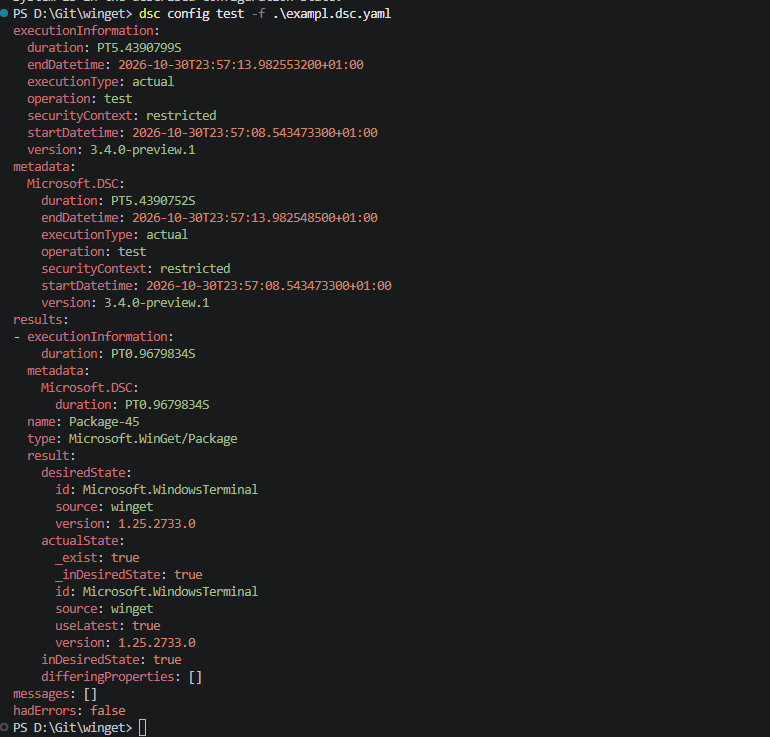
dsc config test --file .\packages.dsc.yaml
If the test result is acceptable, apply the configuration:
dsc config set --file .\packages.dsc.yaml
test reports whether the machine matches the configuration; set makes the requested changes. Applying a package configuration can install or modify software, so test and review it in a representative environment before using it broadly.
Which package resource format should you use?
The module can write either a native DSCv3 configuration or a configuration for WinGet’s configuration workflow:
| Output | Resource type | Test and apply commands | Best fit |
|---|---|---|---|
| DSCv3 (default) | Microsoft.WinGet/Package |
dsc config test and dsc config set |
DSCv3 configurations and workflows built around the DSC CLI and DSC resources. |
| WinGet configuration | Microsoft.WinGet.DSC/WinGetPackage |
winget configure test and winget configure |
Existing WinGet Configuration documents and the WinGet configuration CLI. |
To generate the WinGet configuration schema instead, choose -Schema WinGet:
Convert-WinGetExportToDsc `
  -InputPath .\packages.json `
  -OutputPath .\packages.winget.yaml `
  -Schema WinGet

winget configure test --file .\packages.winget.yaml
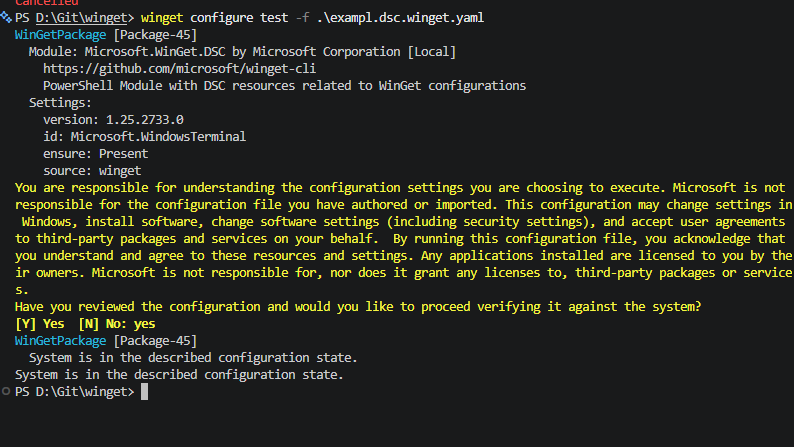
This output uses the WinGet configuration document schema, the Microsoft.WinGet.DSC/WinGetPackage resource type, and ensure: Present. The default DSCv3 output uses Microsoft.WinGet/Package and the DSCv3 document schema. Choose the format supported by the configuration runner and resource set used in your environment; the two formats are not interchangeable just because both describe WinGet packages.
From an export to a compliance workflow
An export is a snapshot, not an ongoing compliance policy. To make package configuration repeatable:
- Export a reviewed baseline with
winget export. - Convert it to the configuration format used by your environment.
- Keep the JSON baseline and generated YAML in source control, and review updates as changes to the desired package set.
- Run the matching
testcommand on target devices and report its results. - Apply the configuration with
setorwinget configureonly through a controlled deployment workflow. - Schedule testing and decide how to handle drift, failed installs, package-version changes, and packages that should be removed.
Neither export command schedules recurring checks by itself. A task scheduler, device-management platform, or CI/CD workflow must run the tests and collect their results if you need ongoing compliance reporting. Also, a list of desired packages should not be treated as an uninstall list: explicitly define and validate any separate removal process.
The module’s example folder contains the WinGet JSON export and sample YAML output for both schemas. See the project README for installation, parameters, and conversion details.