
Bicep Module Documentation and Description Linting
Bicep Module Documentation and Description Linting
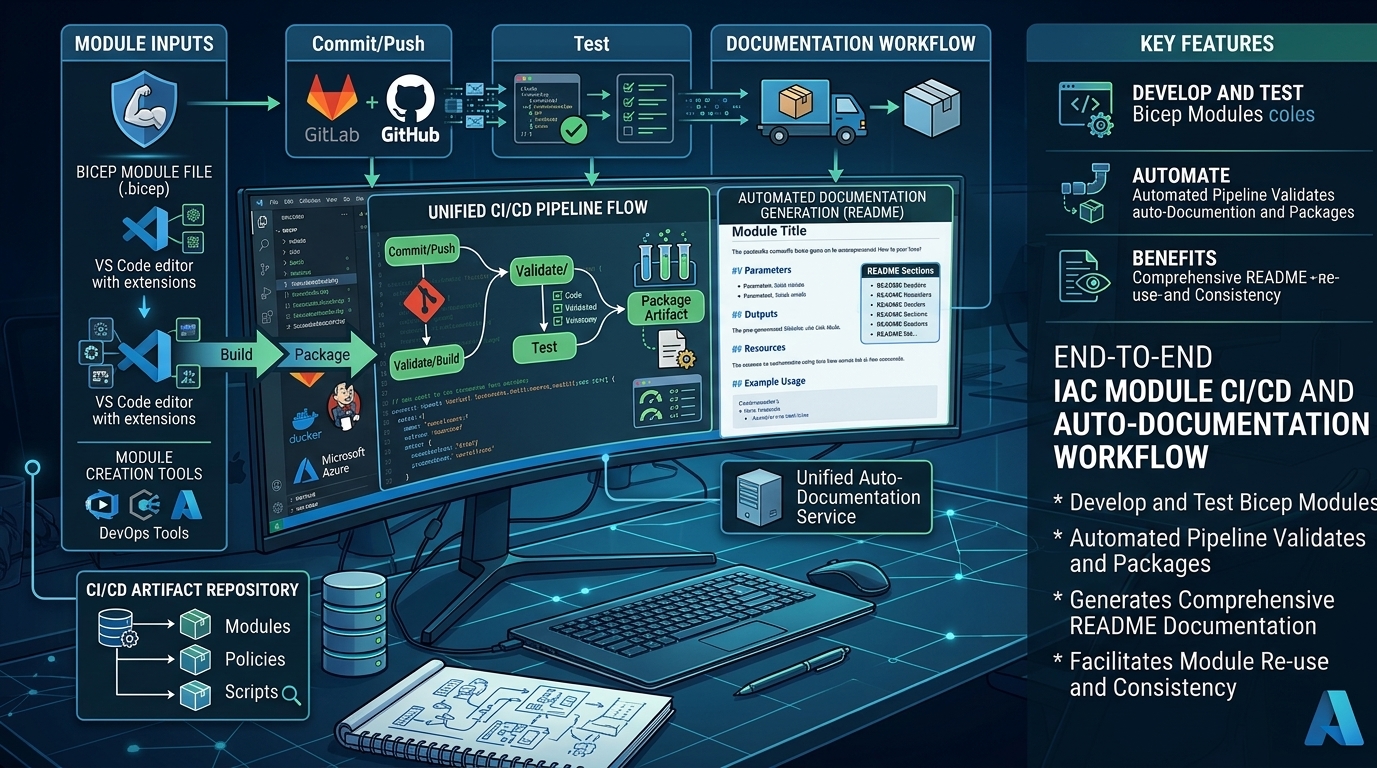
Bicep modules are easier to consume when their inputs, outputs, and examples are documented consistently. Keeping that documentation in sync by hand is repetitive, though, and missing descriptions in the Bicep source can leave generated READMEs incomplete.
Bicep now has an experimental docs command group that generates module documentation from the compiled Bicep model. With a custom Scriban template and a few analyzer rules in bicepconfig.json, a repository can generate its own README format and flag declarations that have no useful description.
The
bicep docscommand is experimental (don’t requried to be enabled). Its options, template model, and built-in Markdown output can change without a breaking-change notice. Check the official docs command reference for the current behavior.
Generate a module README
For one module, run the command from the repository:
bicep docs generate .\modules\storage\main.bicep
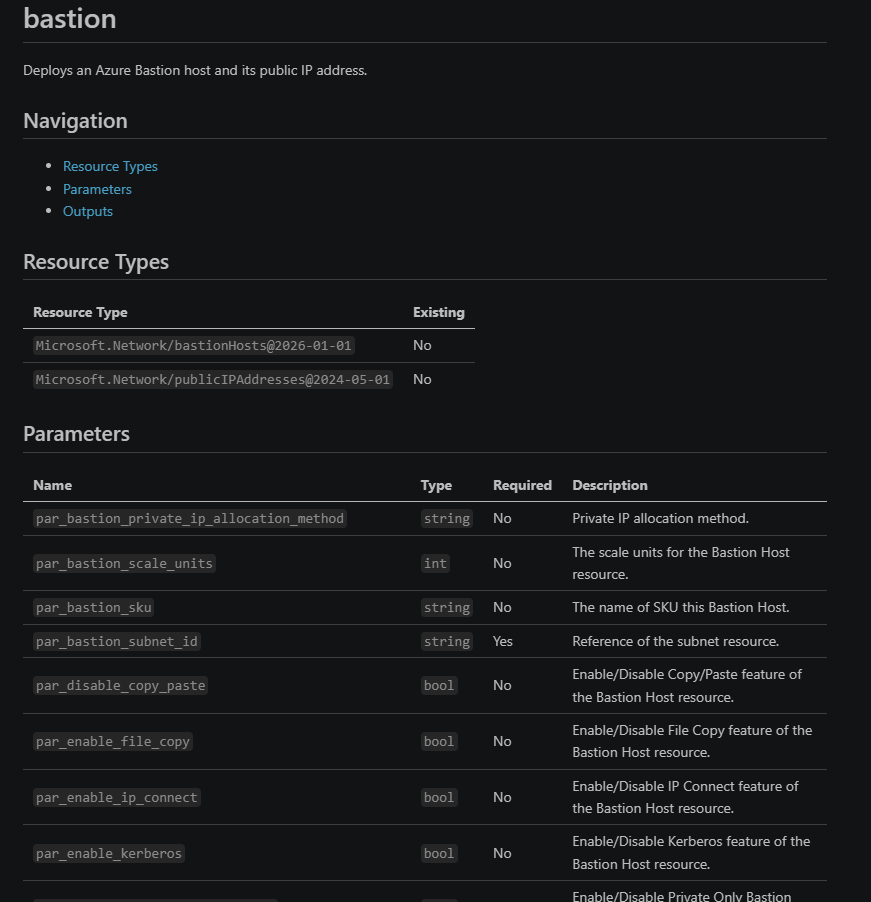
By default, Bicep writes a README.md next to the input module. The generated content is based on the compiled module: it can include resource types, parameters, exported types and variables, outputs, referenced modules, and usage examples. Descriptions in the Bicep source become descriptions in the documentation.
To generate docs for multiple modules, use a glob pattern:
bicep docs generate --pattern '.\modules\**\main.bicep'
You can send generated Markdown to standard output instead of writing a file:
bicep docs generate .\modules\storage\main.bicep --stdout
For bulk generation, --outdir keeps the matched modules’ relative directory structure beneath the output directory:
bicep docs generate `
  --pattern '.\modules\**\main.bicep' `
  --outdir .\generated-docs
This is useful in CI: generated output can be reviewed, compared with committed documentation, or published as a separate build artifact.
Add descriptions to the Bicep source
Generated documentation is only as useful as its source descriptions. Use Bicep’s @description decorator on public module inputs and outputs, and on variables and types where the configured analyzer rules apply.
@description('The Azure region where the resources will be deployed.')
param location string

@description('The name assigned to the storage account.')
param storageAccountName string

@description('The resource ID of the deployed storage account.')
output storageAccountId string = storageAccount.id
For a type declaration, describe the type and its properties so consumers understand both the purpose of the object and the meaning of each field:
@description('Settings used to configure the application.')
type applicationSettings = {
  @description('The application environment, such as dev or prod.')
  environment: string

  @description('Whether diagnostic logging is enabled.')
  diagnosticsEnabled: bool
}
The description rules flag absent or empty descriptions. They cannot determine whether a description is accurate or useful, so a passing lint check is a baseline rather than a substitute for clear wording.
Enforce descriptions with the Bicep analyzer
The description checks below are built-in Bicep core analyzer rules, configured in bicepconfig.json. They do not require implementing or installing a separate custom analyzer. The rule levels let a team decide which omissions should be warnings and which should fail its validation workflow.
Add these entries under analyzers.core.rules:
{
  "use-description-params": {
    "level": "error"
  },
  "use-description-vars": {
    "level": "error"
  },
  "use-description-outputs": {
    "level": "error"
  },
  "use-description-types": {
    "level": "warning"
  },
  "use-description-type-properties": {
    "level": "warning"
  }
}
The checks cover:
| Rule | What it checks |
|---|---|
use-description-params |
Parameters |
use-description-vars |
Variables |
use-description-outputs |
Outputs |
use-description-types |
Type declarations |
use-description-type-properties |
Properties in declared types |
These entries are a fragment of the rules object, not a complete bicepconfig.json. Keep them alongside the other analyzer rules in the repository configuration. In this example, missing parameter, variable, or output descriptions are errors; missing type and type-property descriptions are warnings. Adjust the levels if the repository needs a different adoption path.
Run a Bicep build or your normal validation pipeline to see analyzer diagnostics:
bicep build .\modules\storage\main.bicep
Newer analyzer rules require a Bicep CLI version that recognizes those rule names. If a rule is reported as unknown, check the installed CLI version and update it before relying on that rule in CI.
Customize the generated README with Scriban
The built-in template is a quick way to get started, but teams often want their README to match an existing format. The docs command supports custom Scriban templates. For example, a template can render the module’s parameters and outputs as tables:
# {{ module.name }}

{{ module.description }}

## Parameters

| Name | Type | Required | Description |
| --- | --- | --- | --- |
{{~ for parameter in module.parameters ~}}
| `{{ parameter.name }}` | `{{ parameter.type }}` | {{ if parameter.required }}Yes{{ else }}No{{ end }} | {{ parameter.description }} |
{{~ end ~}}

## Outputs

| Name | Type | Description |
| --- | --- | --- |
{{~ for output in module.outputs ~}}
| `{{ output.name }}` | `{{ output.type }}` | {{ output.description }} |
{{~ end ~}}
Point documentation.template.file to the template in bicepconfig.json. The configured template path is relative to the directory containing that config file. includeRoot can provide a shared location for template fragments:
{
  "documentation": {
    "output": {
      "file": "README.md"
    },
    "template": {
      "file": "templates/readme.scriban",
      "includeRoot": "templates"
    }
  }
}
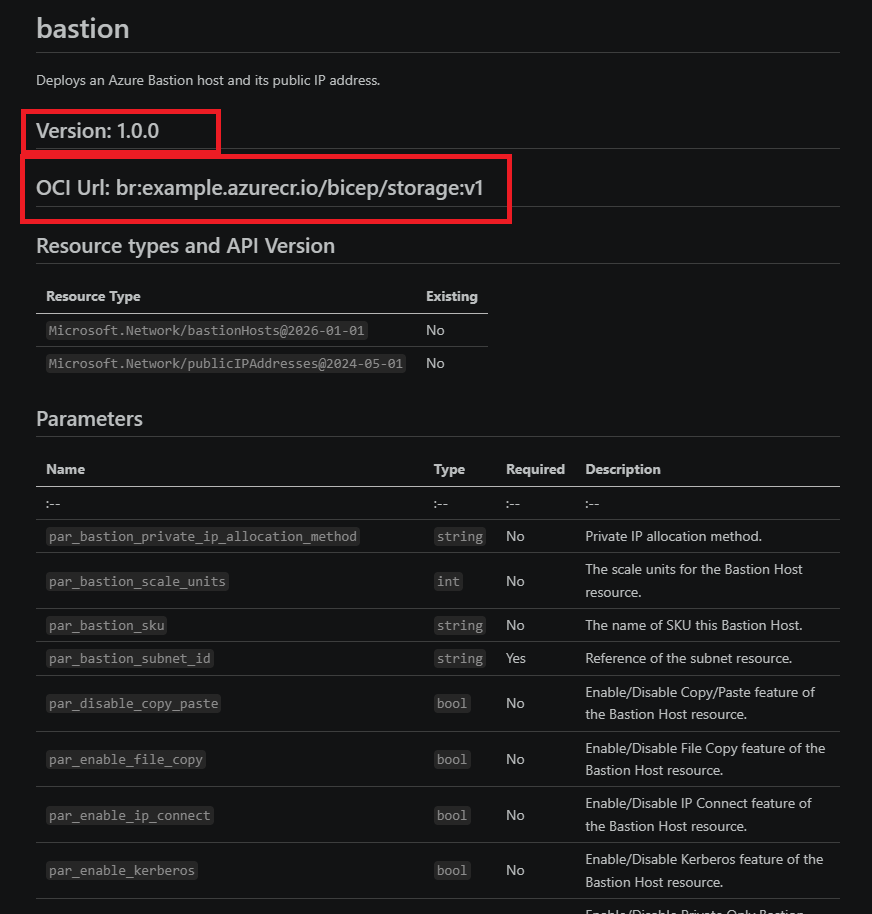
The custom-template example in my Bicep docs demo uses this approach. Its Scriban template adds a version and OCI URL from custom values, then renders resource types, parameter details, and outputs. Custom values can be passed at generation time:
# {{ module.name }}

{{ module.description }}

## Version: {{ custom.Version }}

## OCI Url: {{ custom.oci }}

## Resource types and API Version
| Resource Type | Existing |
| :-- | :-- |
{{~ for resourceType in module.resourceTypes ~}}
| `{{ resourceType.type }}` | {{ if resourceType.existing }}Yes{{ else }}No{{ end }} |
{{~ end ~}}

## Parameters
| Name | Type | Required | Description |
|------|------|----------|-------------|
| :-- | :-- | :-- | :-- |
{{~ for parameter in module.parameters ~}}
| `{{ parameter.name }}` | `{{ parameter.type }}` | {{ if parameter.required }}Yes{{ else }}No{{ end }} | {{ parameter.description }} |
{{~ end ~}}
{{~ for parameter in module.parameters ~}}
{{~ if parameter.defaultValue || parameter.allowedValues.size > 0 ~}}

### `{{ parameter.name }}`
{{~ if parameter.defaultValue ~}}

{{~ if parameter.defaultValue | string.contains "\n" ~}}
- Default value:

{{ parameter.defaultValueFence }}bicep
{{ parameter.defaultValue }}
{{ parameter.defaultValueFence }}
{{~ else ~}}
- Default value: `{{ parameter.defaultValue }}`
{{~ end ~}}
{{~ end ~}}
{{~ if parameter.allowedValues.size > 0 ~}}

- Allowed values: {{ for value in parameter.allowedValues }}`{{ value }}`{{ if !for.last }}, {{ end }}{{ end }}
{{~ end ~}}
{{~ end ~}}
{{~ end ~}}

## Outputs
| Name | Type | Description |
|------|------|-------------|
| :-- | :-- | :-- |
{{~ for output in module.outputs ~}}
| `{{ output.name }}` | `{{ output.type }}` | {{ output.description }} |
{{~ end ~}}
Generate document
bicep docs generate .\modules\storage\main.bicep `
  --custom-template-value "Version=1.0.0" `
  --custom-template-value "oci=br:example.azurecr.io/bicep/storage:v1"
Add usage examples
The docs command can discover example Bicep files in configured directories such as examples and tests. A module README can then include examples alongside its API reference. Repositories with a different layout can configure documentation.examples.sources in bicepconfig.json; an explicit empty array disables example discovery.
This keeps examples close to the code that exercises them and avoids maintaining duplicate snippets in a separate document. Use example files that demonstrate real module usage, and keep test-only or internal files out of the generated docs when they are not intended for consumers.
A practical workflow
- Add clear
@descriptiondecorators to the module’s public interface. - Configure the description analyzer rules and choose warning or error levels.
- Build or lint the module in local development and CI.
- Generate the README using the default or repository-specific Scriban template.
- Review and commit the generated documentation with the Bicep changes.
The analyzer checks help catch omissions early, while the documentation command turns those descriptions into useful reference material. Together, they make module documentation repeatable without treating generated output as a replacement for thoughtful authoring.
Leave a comment